
All topics
Help Center / Trust
Trust score and verification
There are two separate things on UmayNow. The blue check is public and shows that other people confirmed who you are. The trust score is visible only to you; it measures how strongly your profile is backed by real signals and gives you a small edge in matching.
Where: Your profile > Trust tab (public) and Analytics > Trust score (only you)
What's on the screen
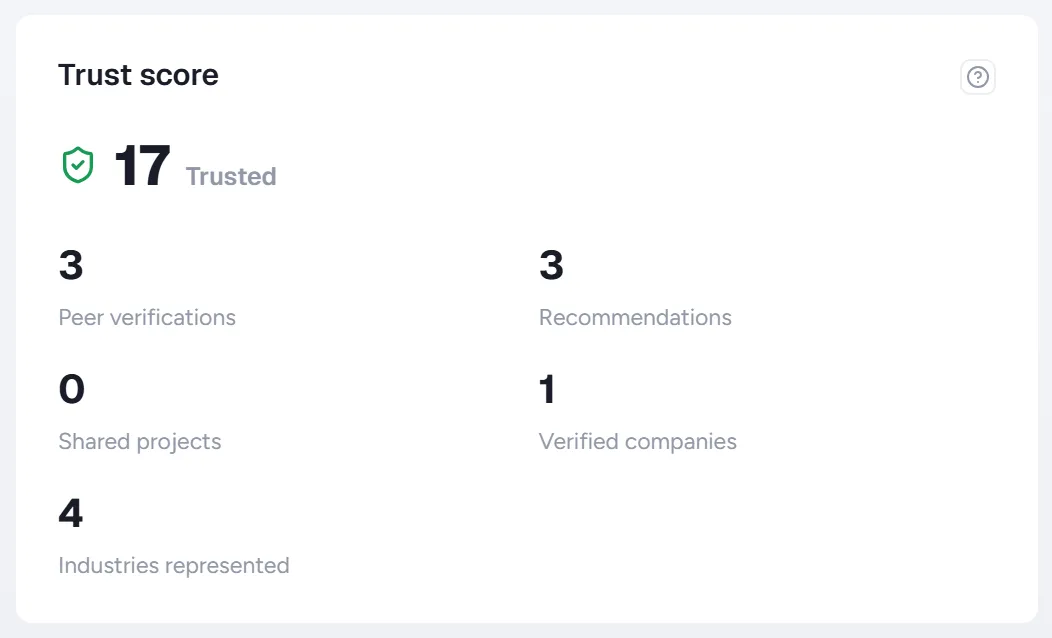
- 1Tier: Basic, Verified, Trusted or Champion.
- 2Breakdown: Peer verifications, recommendations, shared projects, verified companies and industries represented. You see where your score comes from.
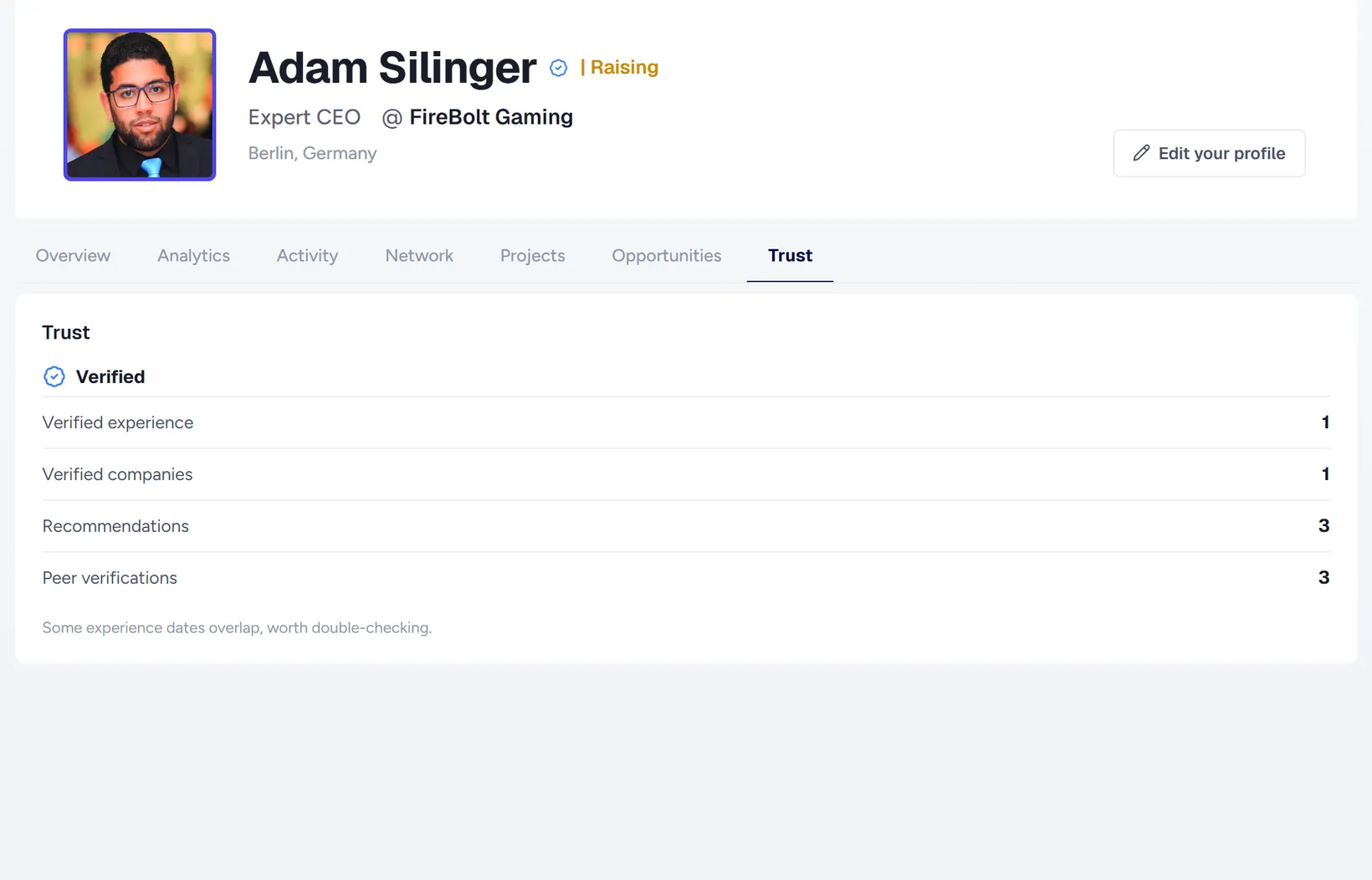
- 1Verification status: Verified, or how many more confirmations are needed.
- 2Counts: Verified experience, verified companies, recommendations and peer verifications.
- 3Recommendations: Recommendations written for you. Approve pending ones here.
How to
Getting the blue check
- Have 3 different people who know you verify you on your profile's Trust tab,
- or take part in a shared project with someone, confirmed by both sides.
Verifying someone
- Open the Trust tab on their profile.
- Click Verify. You can verify up to 10 people a day.
Good to know
- What adds the most: shared projects, recommendations, experience confirmed by the company and peer verifications.
- Verifications from the same company count only up to a limit, and mutual verifications count less, so the score can't be inflated.
- The score itself is never shown to anyone. Matching only uses a small, capped bonus from it.
- Companies have their own trust score, shown in the company's Analytics tab.