
All topics
Help Center / Getting started
Signing up and first setup
You create your account with email or Google. Then, in a few short steps, you say who you are and what you are looking for on UmayNow. These choices decide which people, companies and opportunities you are shown.
Where: The Join button on umaynow.com
What's on the screen
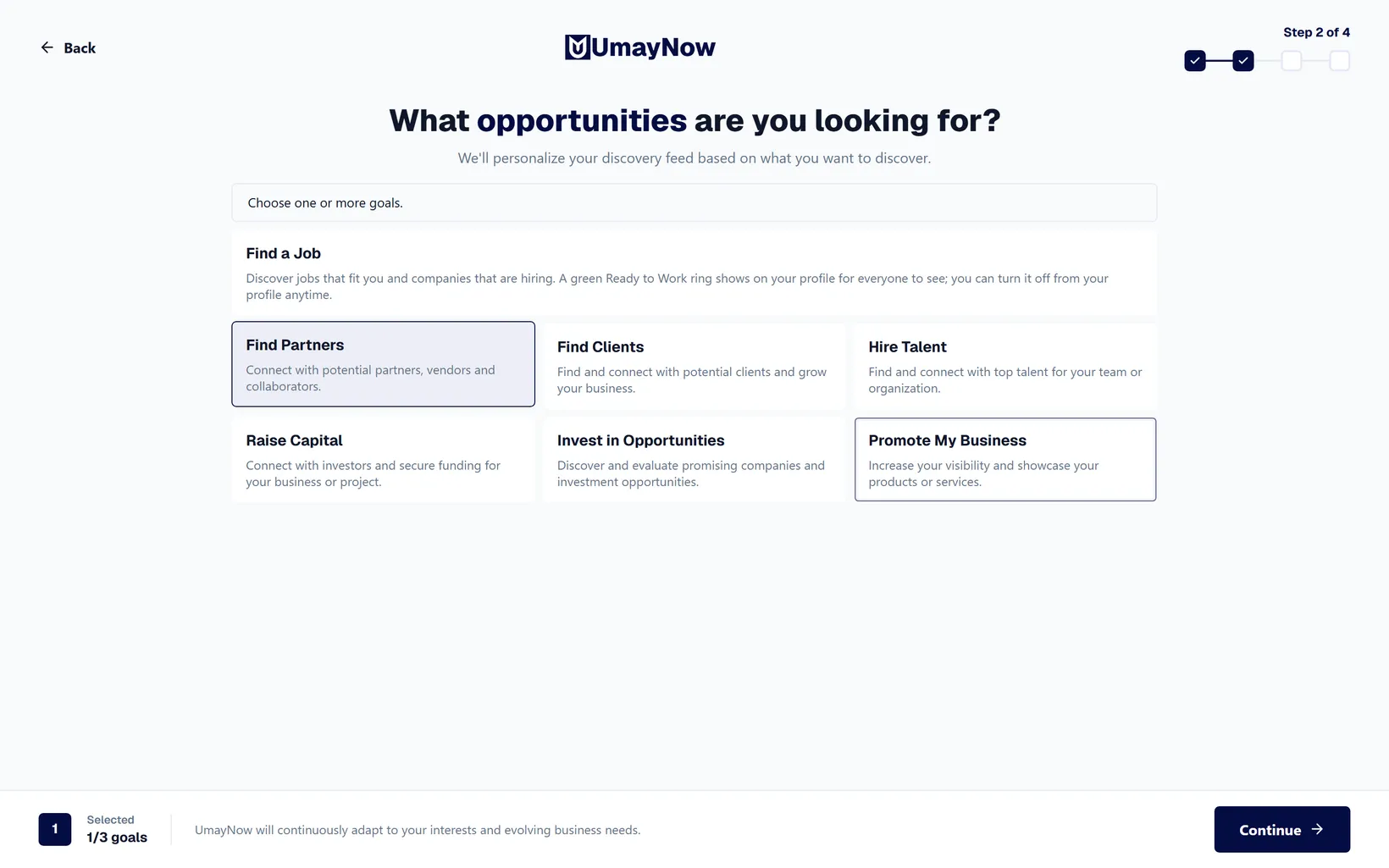
- 1Step counter: Setup has 4 steps; this shows which one you are on. Back takes you to the previous step without losing your choices.
- 2Goal cards: Pick what you want to do on UmayNow: Find a Job, Find Partners, Find Clients, Hire Talent, Raise Capital, Invest in Opportunities, Promote My Business. You can pick up to 3.
- 3Continue: Unlocks once you pick at least one.
How to
Creating an account
- Click Join on the home page.
- Continue with Google, or enter an email and a password.
- In the first step, enter or check your first and last name. If Google split your name wrongly, fix it here. Add a photo if you like.
- Then pick your goals (up to 3), industries (up to 3) and focus areas (up to 3).
Good to know
- You can change goals, industries and focus areas later in Settings > Profile Priority, once every 3 months.
- People who pick the Creator / Influencer focus area are matched more easily with marketing, sales and business development people.