
All topics
Help Center / Listings and opportunities
Posting a job and applicants
You post jobs for your company. The listing is shared in the Feed and suggested to fitting people. Applicants arrive ranked by how well they fit.
Where: Company page > Opportunities
What's on the screen
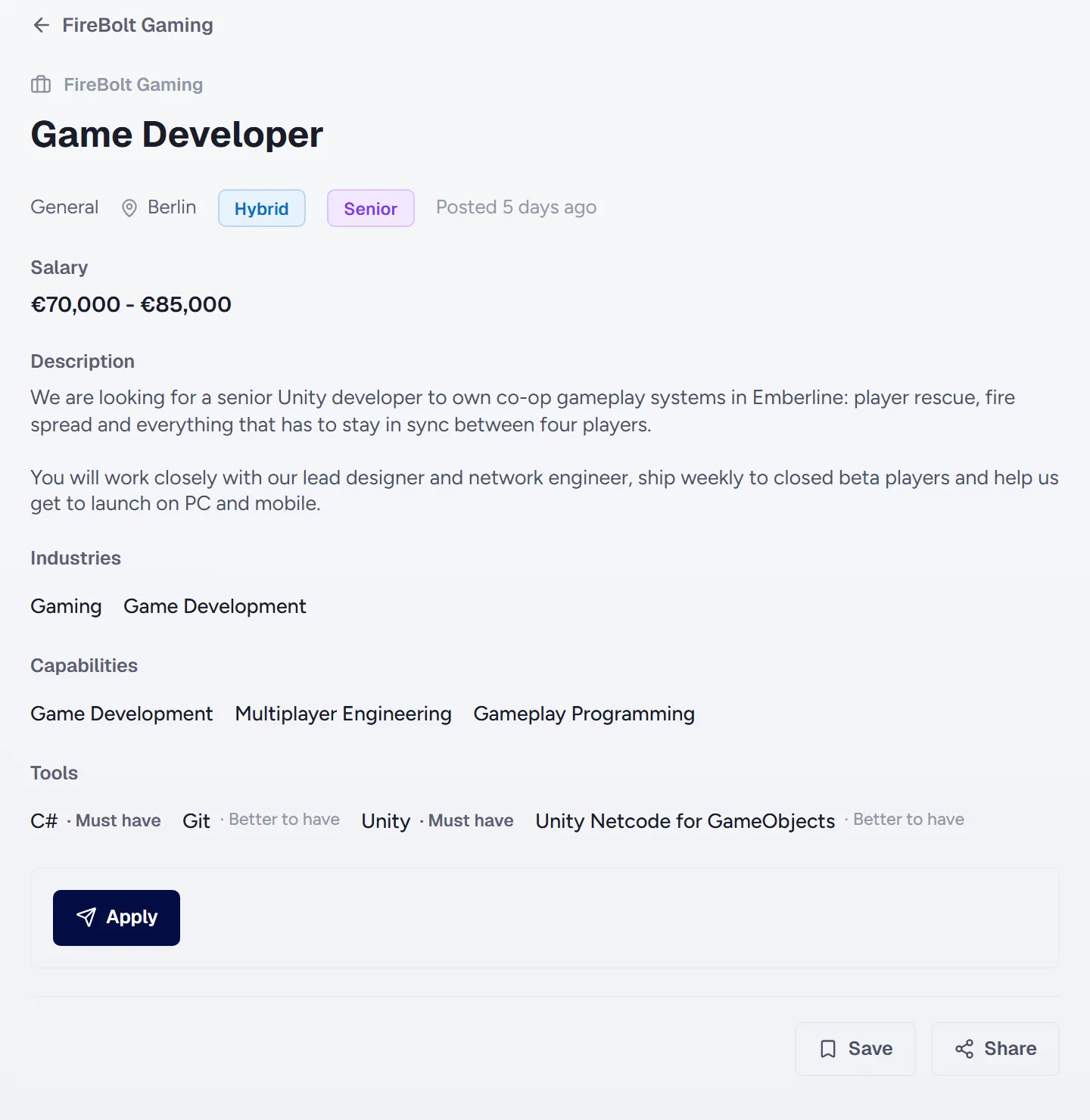
- 1Title and company: Role, company, city, work mode and seniority.
- 2Salary: Optional. Can be a range.
- 3Must have and better to have tools: Must haves weigh more in matching.
- 4Apply: Apply with a short message.
How to
Posting a job
- Open the Opportunities tab on your company page.
- Pick the role, city, work mode, seniority and department, and write the description.
- Mark the needed tools as must have or better to have.
- If you like, show the Hiring badge on your own profile, on the company page and on everyone in your department.
Good to know
- Listings close on their own after 30 days. Renewing keeps them open another 30 days.
- The applicants page shows a fit percentage and the reasons for each candidate.
- Fitting job seekers are notified once you post.
- Department leaders can post jobs for their department.