
All topics
Help Center / Goals and matching
Finding a co-founder
Early-stage startups say they are looking for a co-founder, and people say they could be one. Both sides find each other. You can stay anonymous: the introduction starts without names, and profiles open if you both want.
Where: The Co-founders page; for startups, company page > OverviewGo to page
What's on the screen
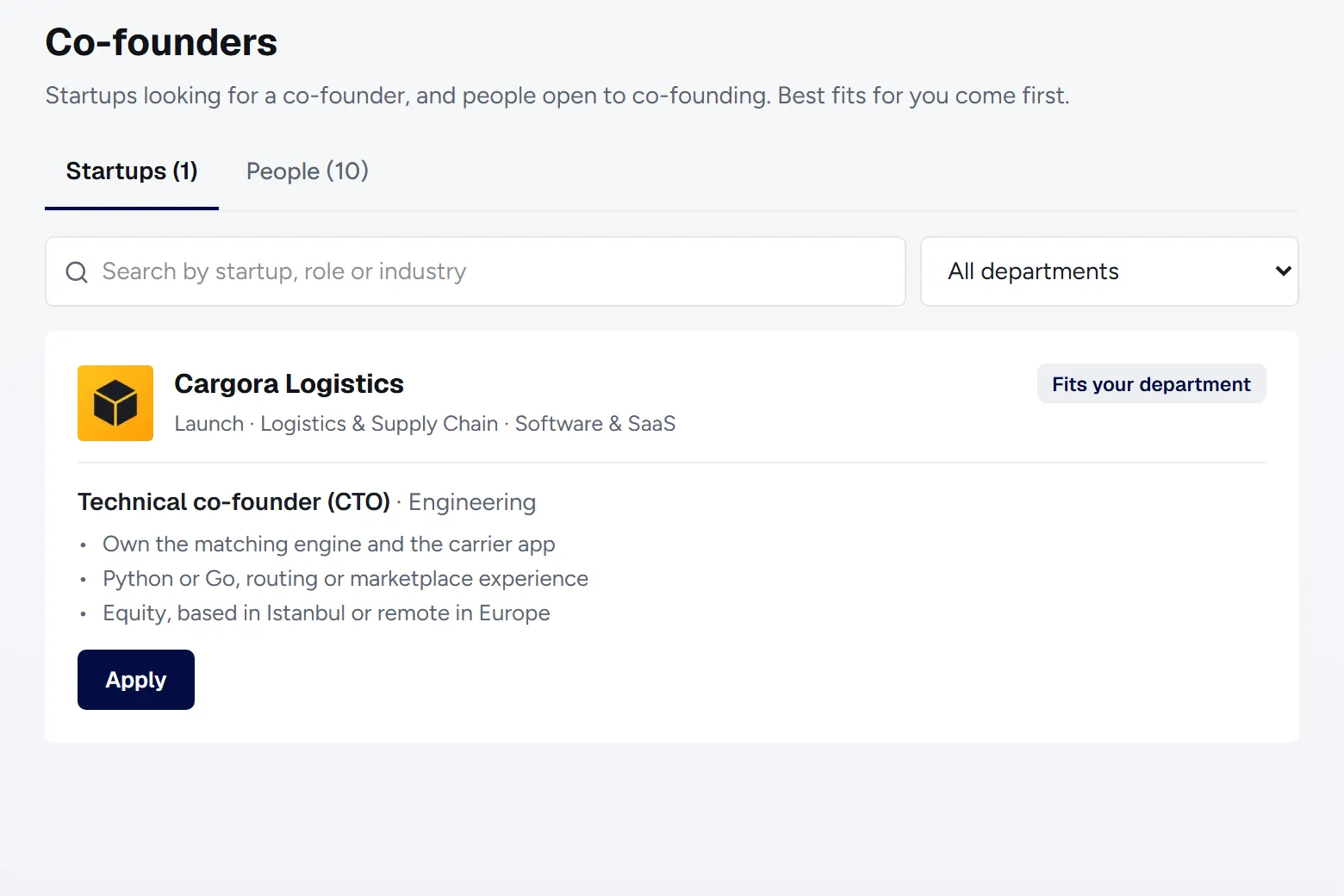
- 1Startups and People: Startups looking for a co-founder and people open to being one. Best fits come first.
- 2Search and department: Search by role, industry or name, and filter by department.
- 3Card: The role, the department and short bullet points. Private ones show as Stealth company or Stealth person.
- 4Apply or Invite: With a short message. Once they accept, the conversation starts in Messages.
How to
Looking for a co-founder for your startup
- On your company page's Overview, answer Yes to Looking for a co-founder?
- Write the role, the department and up to 3 bullet points.
- Choose normal or private. If private, your company's name is hidden.
Saying you could be a co-founder
- Go to Settings > Open To.
- Under Could you be a co-founder?, pick Yes, show it or Yes, keep it private.
Good to know
- This is for companies at the Idea, Early Stage and Launch stages.
- While you look for a co-founder, co-founder candidates show at the top left of your Feed; normal suggestions continue below.
- In an anonymous conversation they see only your role, years of experience and skills; no photo, employer or exact title.
- Blocking works in anonymous conversations too.
- You can give stealth people a nickname that only you see.