
All topics
Help Center / Meetings and calendar
Answering, rescheduling and cancelling
Proposals you receive are on My meetings. Accept a time, decline, or suggest other times. You also change the time of a confirmed meeting here.
Where: The My meetings link on the Events page; a notification opens it tooGo to page
What's on the screen
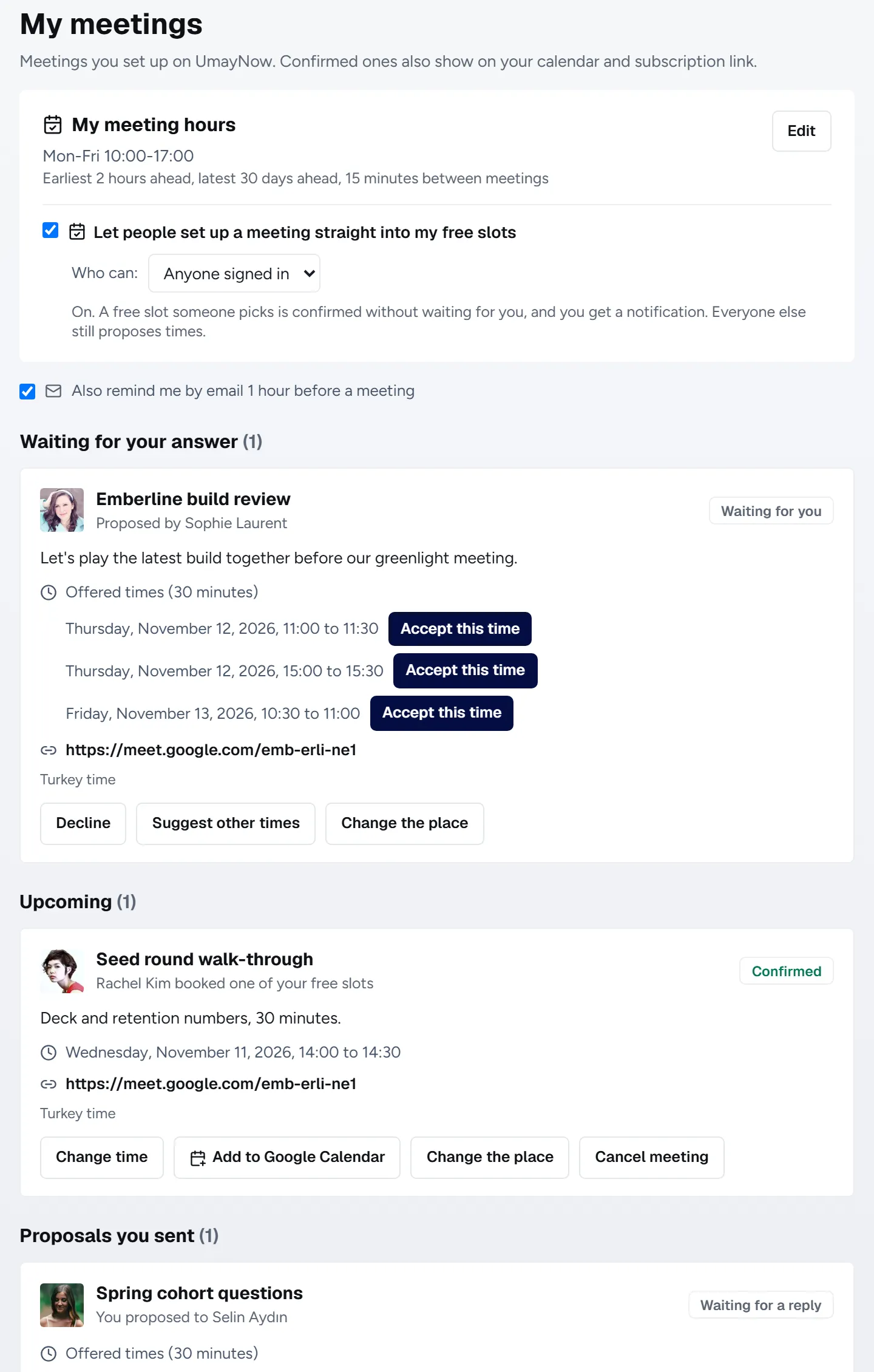
- 1My meeting hours: Your weekly hours and your direct booking setting.
- 2Waiting for your answer: Meetings proposed to you, waiting for you to pick.
- 3Accept this time: Pick one of the offered times and the meeting is confirmed.
- 4Suggest other times: If none work, send your own times. It's their turn then.
- 5Upcoming: Confirmed meetings. Add to Google Calendar, Change time, Change the place and Cancel are here.
Good to know
- To move a confirmed meeting you send new times. The current time stands until they pick one; if they choose Keep the current time, nothing changes.
- Times can go back and forth at most 10 rounds per meeting.
- If all offered times pass, the proposal becomes Expired on its own.
- Cancelling or withdrawing notifies the other person.